Skip to content
GOEZ
  1. Home
  2. Community
Community

The motorcycle community app for finding your crew and planning the next ride.

Your rides, your motorcycle groups and your events live in one place. Follow riders, start a group, pick the meeting point on the map — and always decide who sees what.

Updated: October 7, 2026Reading time: 6 min
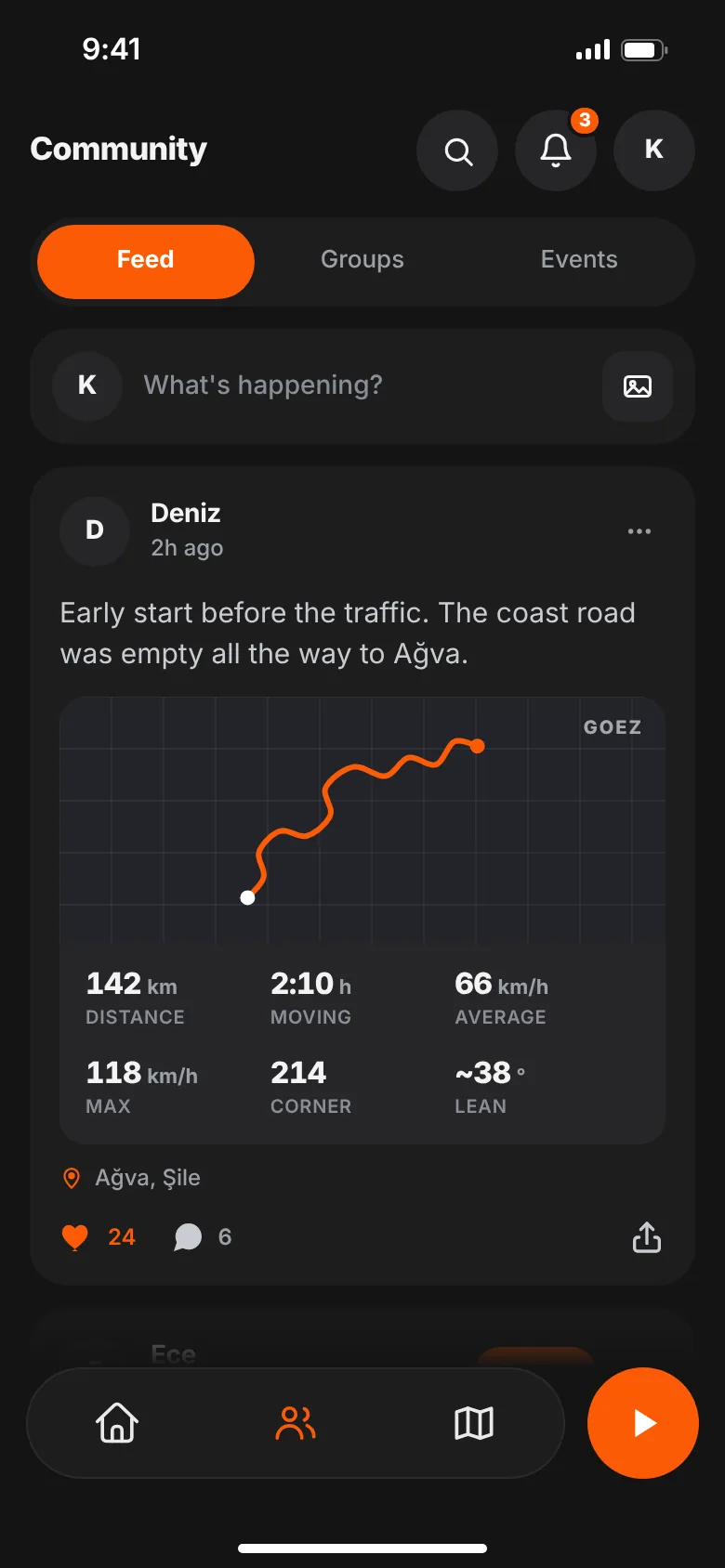
GOEZ feed with rides, photos and routes from riders you follow
In short

GOEZ pairs ride tracking with a motorcycle community: share rides in your feed, start or join motorcycle groups, plan events with a date, meeting point and rider limit, and message other riders. You choose whether each ride is visible to everyone, your followers or only you. Community features are included in the free plan.

What does a motorcycle community app do?

Weekend rides usually get planned across a few chat threads, a map link and a lot of "who's in?". A motorcycle community app puts it in one place: you find people to ride with, everyone sees the same plan, and afterwards you share the route and the photos.

In GOEZ, the community sits right next to the rides you record. Post a finished ride to your feed or your group in a few taps — no switching apps.

What's in the GOEZ community?

  • Feed: rides, photos and routes from the riders you follow.
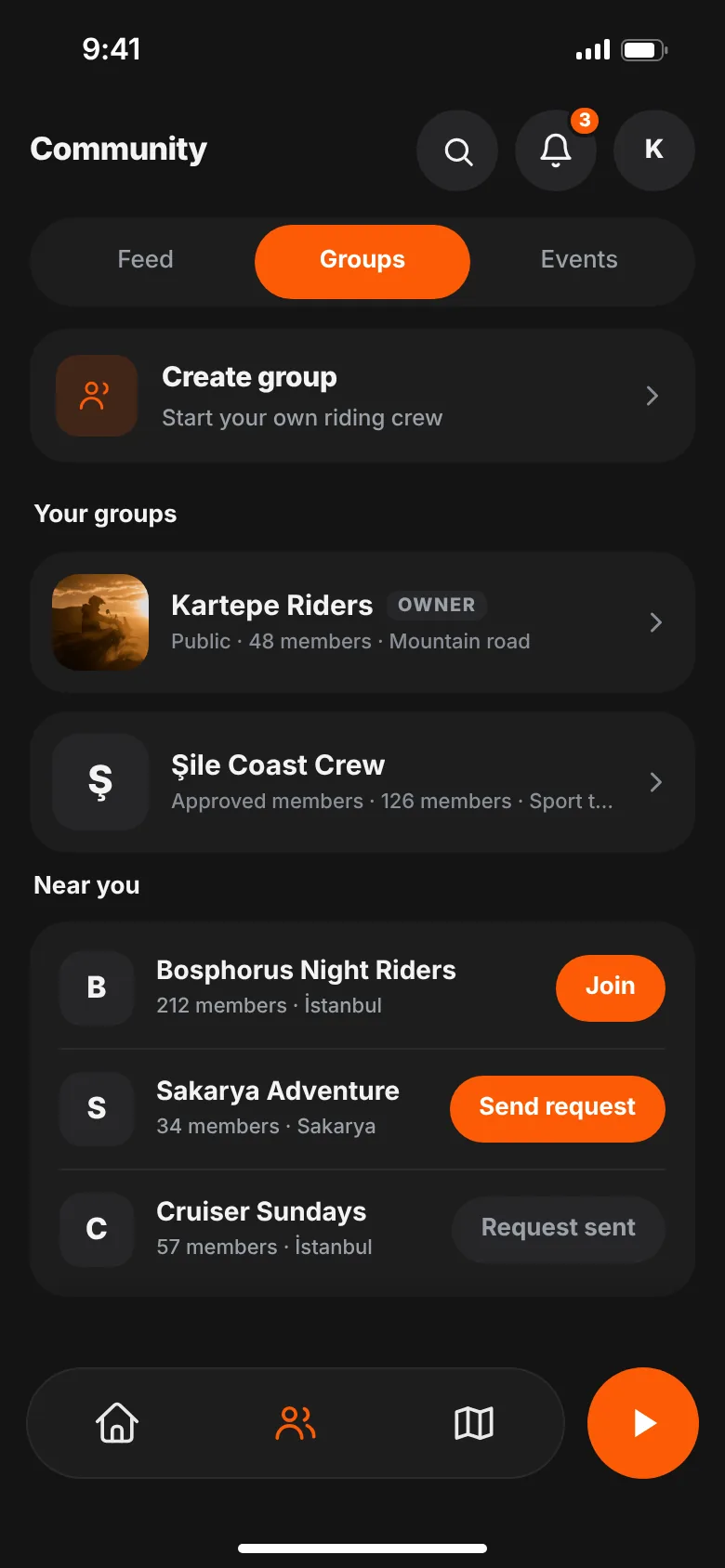
  • Groups: your club, your city or your weekend crew, each with its own feed.
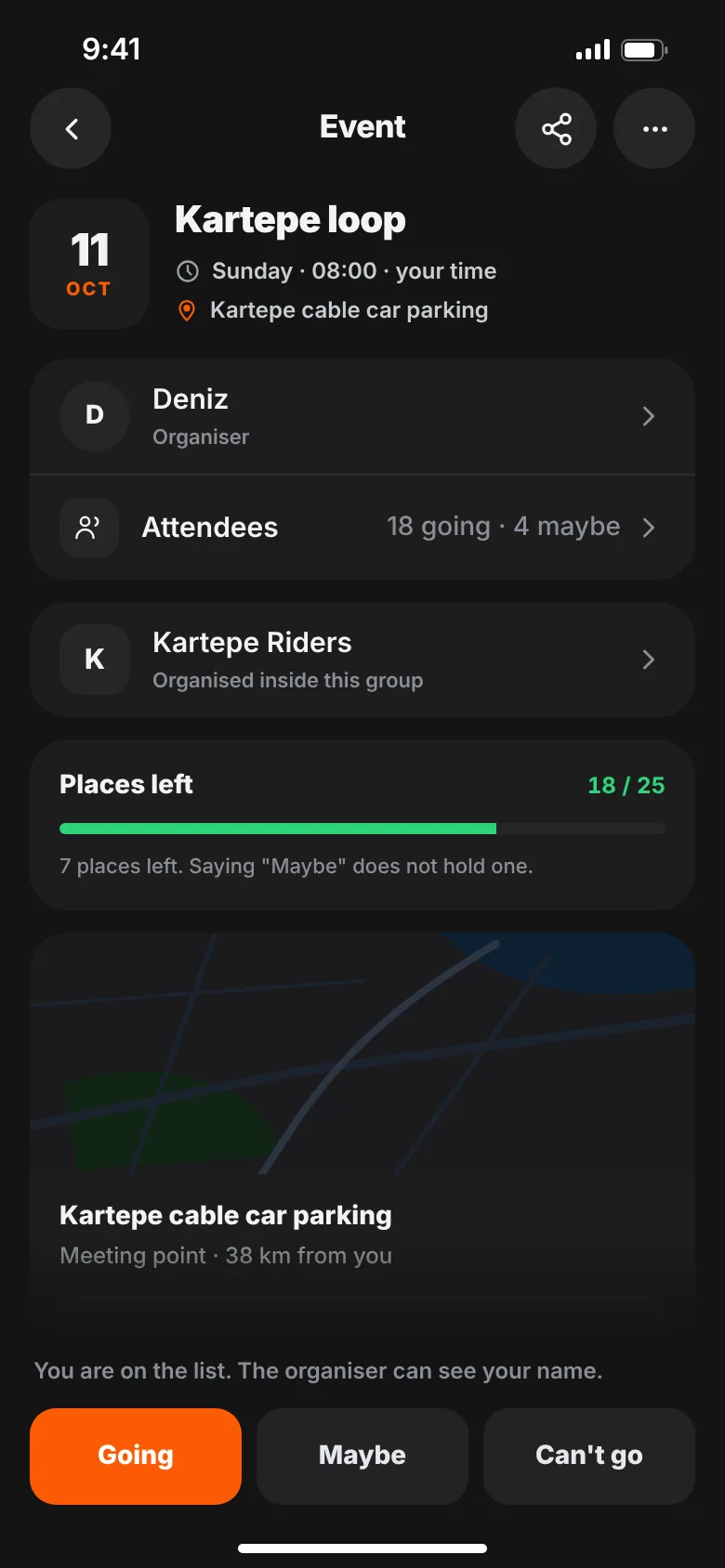
  • Events: group rides with a date, meeting point and rider limit; riders answer Going, Maybe or Can't go.
  • Messages: one-to-one chats where you can send photos, a location, a ride or a route.
  • Following and privacy: visibility for every ride, a private account and message settings.
  • Saved: the posts you want to come back to, in one list.
  • Report and block: on every post, to keep the community respectful.
Groups

Start a motorcycle group, or join one.

Your club, your city, your weekend crew — every group has its own feed, rules and events.

  • See groups near you, search, and join in one tap
  • Public or approved members: you approve every request
  • The group feed is for members only; pin the post that matters
GOEZ groups screen with motorcycle groups near you and the groups you joined
Events

Who, when and where — on one screen.

Set the date, meeting point and rider limit. Riders answer Going, Maybe or Can't go.

  • Pick the meeting point on the map; riders get directions
  • When it's full, the waiting list runs itself
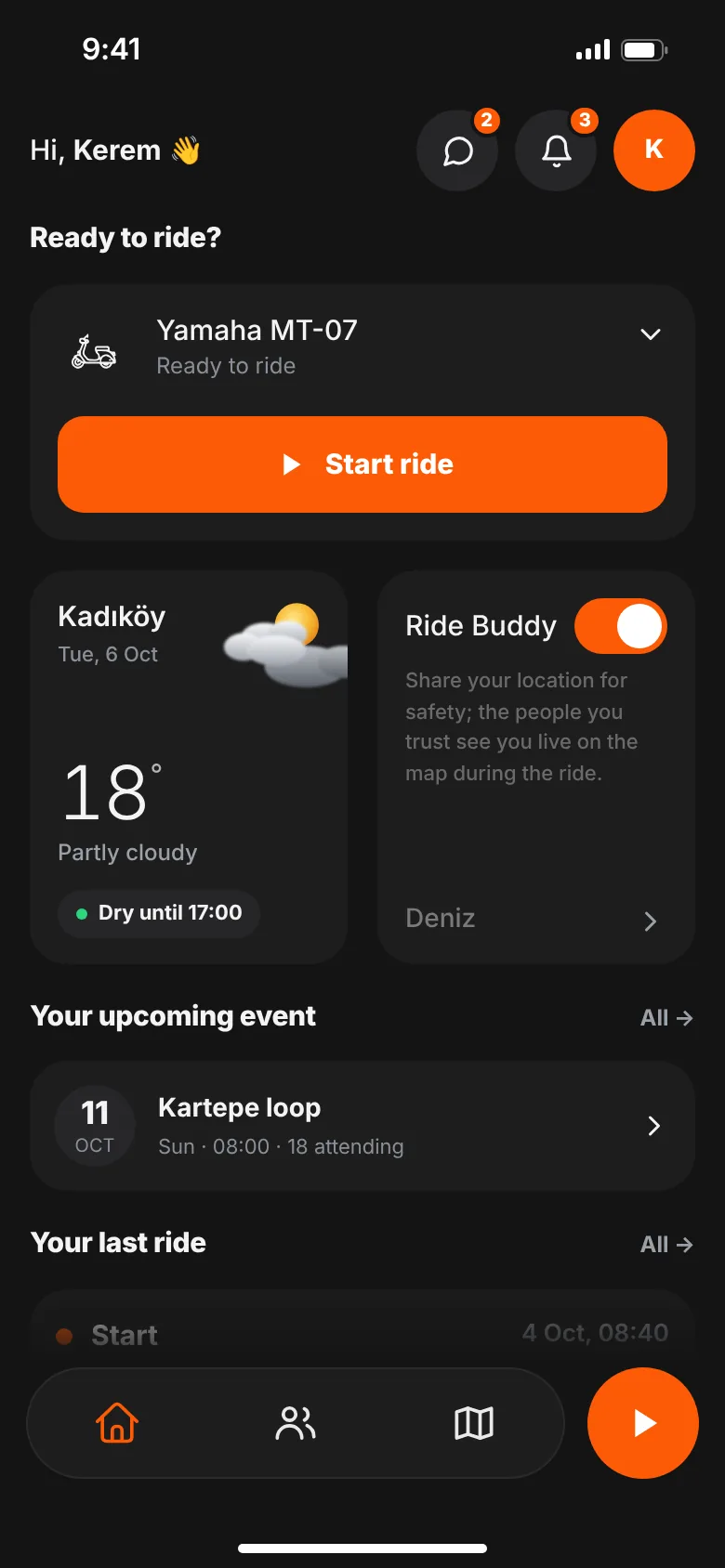
  • Upcoming events you joined show up on your home screen
GOEZ motorcycle event with date, meeting point, rider limit and riders going
GOEZ home screen with Start ride, Ride Buddy, last ride and an upcoming event

How do you start a motorcycle group?

  1. Tap Create group and add a name, cover image, category and region.
  2. Say who the group is for, what you ride and where you meet.
  3. Write your rules — one per line. Riders see them before they join.
  4. Choose how people join: Public or Approved members.
  5. Share the group link, then post first or plan the first group event.

Public or approved members?

Anyone can find a public group and join right away. With approved members, every join request comes to you to approve or decline. While a request is pending, the rider sees how big the group is, but posts, events and the member list only open once they join.

Run the group together

Make riders you trust admins: they approve requests, moderate posts and open group events. Pin an important post to the top of the feed. If the group goes quiet for a while, archive it — it leaves discovery, isn't deleted, and can be reopened. You can also hand ownership to another member.

How do you plan a motorcycle event?

  1. Tap Create event and give it a name, like "Saturday morning mountain ride".
  2. Pick the date and departure time.
  3. Choose the meeting point on the map or search for a place.
  4. Set a rider limit or leave it unlimited; use the description for the route, stops and what to bring.
  5. Optionally link the event to a group: that group's members see it first.

Riders answer Going, Maybe or Can't go, and can change their answer anytime. They can add the event to their calendar and get directions to the meeting point in their phone's map app. Plans changed? Edit the event. If you cancel it, everyone who joined gets a notification.

What happens when an event is full?

New answers go to the waiting list. When someone drops out, the next rider joins automatically and gets notified. Saying "Maybe" doesn't hold a spot.

Feed: tell the story, share the route

Add text, a photo or a short video to a post, and attach one of your recorded rides if you like. Posts go out with the default visibility you set in Settings. A post in a group is visible to group members only. Like, comment on and share posts from the riders you follow.

Want a Story-sized image of your ride instead? See ride sharing templates.

Messages

Chat one-to-one with riders you follow or who follow you. Add a photo, a video, a location you pick on the map, or one of your rides or saved routes. You decide who can message you: everyone, only people you follow, or no one.

Following and privacy: who can see my rides?

You choose who sees each ride when you finish it, on the summary screen. Your default visibility in Settings decides how new posts and rides start.

SettingOptionsWhat it does
Ride visibilityEveryone · Followers · Only meChosen for each ride on its summary screen.
Default visibilityPublic · Followers · Only meNew rides and posts start with this setting.
Private accountOn · OffNew followers send a request; only people you approve see your posts.
Who can message youEveryone · Following · No oneDecides who can start a chat with you.

Good to know: Group members don't see each other on a live map. You share your live location only while recording, and with one Ride Buddy. How Ride Buddy and SOS work

Saved

Save a ride or route post you want to revisit; it lands in your Saved list in Settings. You can also save suggested routes in the Routes screen.

Report and block

Report a post, group or event that breaks the rules from its menu; reports are reviewed within 24 hours. When you block someone, you can't see each other's content or message each other. Find blocked accounts in Settings and unblock anytime. The Community Guidelines explain what belongs on GOEZ.

Are community features free?

Yes. Feed, messages, following, joining groups and creating events are all in the free plan. There are two limits, and GOEZ PRO removes both.

FeatureFreeGOEZ PRO
Feed, likes, comments, messagesIncludedIncluded
Join groupsUnlimitedUnlimited
Create groups1 groupUnlimited
Join events ("Going")3 eventsUnlimited

The event limit counts your "Going" answers in total, not per month. Withdraw an answer and you get that spot back; "Maybe" and "Can't go" don't count. See pricing for the full plan comparison.
FAQ

Community questions, answered.

Can I start a motorcycle group for free?

Yes. On the free plan you can create one group and join as many groups as you like. GOEZ PRO lets you create unlimited groups.

Can I choose who joins my group?

Yes. Pick Approved members when you create the group and you approve every request. Riders see your rules before they join.

How many motorcycle events can I join on the free plan?

You can answer "Going" to three events in total; withdraw an answer and you get that spot back. GOEZ PRO removes the limit.

What happens when an event is full?

New answers go to the waiting list. When a spot opens, the next rider joins automatically and gets notified.

Can group members see each other on a live map?

No. Group members don't see each other on a live map. You share your live location with one Ride Buddy.

Who can see my rides?

You choose for every ride: everyone, your followers, or only you. Make your account private and you approve new followers yourself.