 GOEZ
GOEZ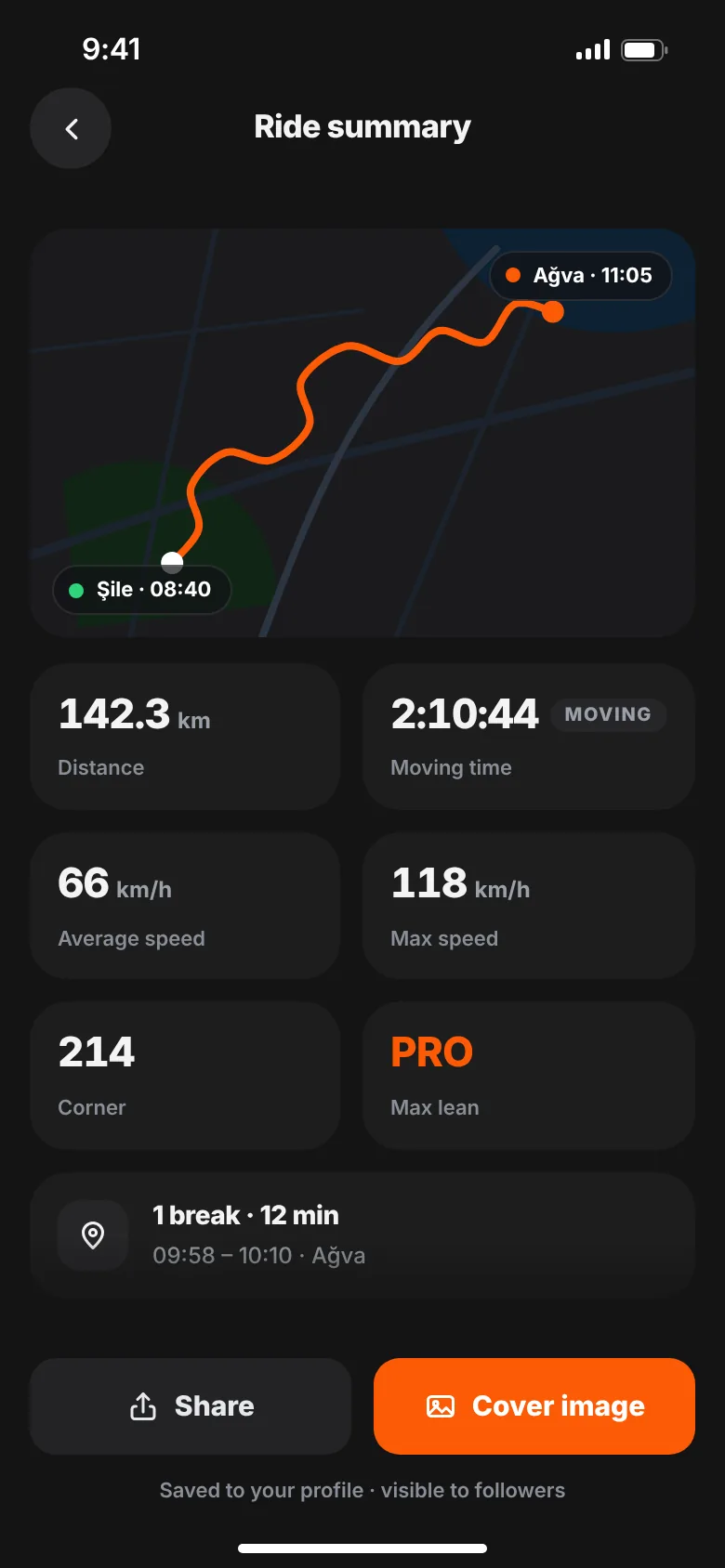
The best motorcycle app is the one that records reliably with the screen off and no signal, doesn't drain your battery, lets you control who sees your location, and keeps safety features free. After that, look at sharing, community, platforms and languages, and check what's behind the paywall before you commit.
App stores are full of ride trackers, and most screenshots look the same: a map, a line, a few numbers. The differences show up on the road — when the signal drops on a mountain pass, when your battery hits 20% two hours from home, or when you realise your ride starts and ends at your front door for everyone to see. This guide gives you the questions to ask before you pick one.
What should a motorcycle app do?
Start with what you actually want. Most riders fall into one or more of these groups:
- Record and remember. A log of where you rode, how far and how long.
- Improve. Corner counts, lean angle and speed charts to compare rides.
- Stay safe. Someone at home can follow you live; help is quick to call.
- Ride with others. Groups, events and a meeting point everyone can find.
- Share. A good-looking image of the ride for your friends or socials.
An app that's great at one of these can be weak at another. Rank them before you compare.
How to choose a motorcycle ride tracker app
1. Offline recording
The best roads often have the worst signal. GPS itself doesn't need mobile data, but some apps stop saving points or lose the ride when the connection drops. Look for an app that saves every point on the phone first and uploads later. Also check what happens if the phone closes the app mid-ride: can you recover the ride?
2. Recording with the screen off
Your phone will be in a pocket, a tank bag or a mount with the screen locked. The app needs background location ("Always" on iPhone, "Allow all the time" on Android) to keep recording. A good app explains why it needs it and reminds you before you ride.
3. Battery use
High-accuracy GPS uses power — there's no way around it. What matters is that the app is honest about it and doesn't waste extra power on things you don't need while riding. Test it: record a one-hour ride and see how much battery it used. For long days, plan on a charger or a powered mount whatever app you choose.
4. Accuracy and how stats are calculated
Distance, moving time and top speed should come from a clean track. Ask: does it filter out bad GPS points? Does average speed use moving time, so red lights don't drag it down? If the app shows lean angle, does it say whether it's a sensor reading or an estimate? An app that explains its numbers is easier to trust.
5. Privacy controls
A ride map shows where you live, work and park. Before you share anything, check:
- Can you choose who sees each ride (everyone, followers, only you)?
- Can you make your account private and approve followers?
- Can you control who can message you?
- Does the app show ads or sell data? Read the privacy policy, not just the store page.
- Can you delete single rides and your whole account from inside the app?
6. Are safety features paywalled?
This one matters most. Live location sharing and an SOS button are the features you hope never to need — and the ones you won't pay for "later". Check whether they're free, and read exactly what they do. Does the app detect crashes automatically, or do you start the alert yourself? Does your contact need to install anything to follow you? Clear answers beat vague promises.
7. Sharing
If you like posting rides, look at the share options: a map image, your stats, your own photo as background, and a format that fits a Story. Check which templates are free.
8. Community and group rides
Some apps are solo logs; others have a feed, groups and events. If you ride with a club, look for events with a date, a meeting point and a rider limit. A chronological feed makes it easy to see what your friends rode today.
9. Platforms and languages
If your riding group uses both iPhone and Android, the app has to work on both. If you ride abroad or with riders from other countries, check the languages too.
10. Pricing you can understand
Look for a clear free plan and a clear paid plan. Read what the free plan limits: number of rides, bikes, groups, export? Look for a free trial and how to cancel. Subscriptions are managed by the App Store or Google Play, so you can cancel there anytime.
Motorcycle app checklist
Use this table to compare any app. The last column shows how GOEZ answers each point, including what it doesn't do yet.
| Criterion | What to check | GOEZ |
|---|---|---|
| Offline recording | Points saved on the phone; ride recoverable | Yes. Every point is saved on the phone; uploads later; unfinished rides can be continued |
| Screen-off recording | Background location supported | Yes, with location access "Always" |
| Battery | Honest about GPS power use | High-accuracy GPS; start sheet checks battery. Bring a charger on long rides |
| Clean stats | Filtered points, moving time | Yes. Distance filters bad points; average speed uses moving time |
| Lean angle | Sensor or estimate? | GPS estimate, clearly labelled. GOEZ PRO |
| Privacy per ride | Everyone / followers / only me | Yes, plus private account and message controls |
| Ads and data sales | Privacy policy | No ads, no data sales |
| Live location | Free? App needed? | Free. One Ride Buddy; contacts follow in a browser |
| SOS | Free? Manual or automatic? | Free. You start it and tap Send |
| Crash detection | Automatic alert | No |
| Group rides | Groups, events, meeting point | Yes. Free plan: 1 group, join 3 events |
| Live group map | Members see each other | No. Live location is one-to-one |
| GPX import | Bring rides or routes from elsewhere | Not yet (planned) |
| Sharing | Story-sized image, own photo | Yes. Classic template free; more with PRO |
| Platforms | iPhone and Android | Both |
| Languages | Your language | English, Turkish, German, Italian, French |
| Pricing | Clear free and paid plans | Free plan; PRO $39.99/year or $9.99/month |
Where GOEZ fits
GOEZ is built for riders who want reliable offline ride tracking, free live location and SOS, and a community to ride with. It's honest about the gaps: it doesn't detect crashes, it can't import GPX files yet, and group members don't see each other on a live map. If any of those is a must-have for you, weigh it before you choose.
Test before you trust
Whatever you install, give it a real test before a big trip:
- Record a short ride with the phone in your pocket and the screen locked.
- Ride through a spot with no signal and check the track afterwards.
- Note battery use per hour.
- Set up your emergency contacts and walk through the SOS screen without sending.
- Check the privacy settings before you post your first ride.
Then read our guide to tracking rides with your phone for permission and battery tips.